FORM for SketchUp - Professional Cabinet Design Extension
V2 Published Sept 26
FORM

Turns even the most novice SketchUp user into a cabinet design powerhouse

Design bespoke cabinetry 80% faster
Download Latest Release V2

No charge, no credit card, source available
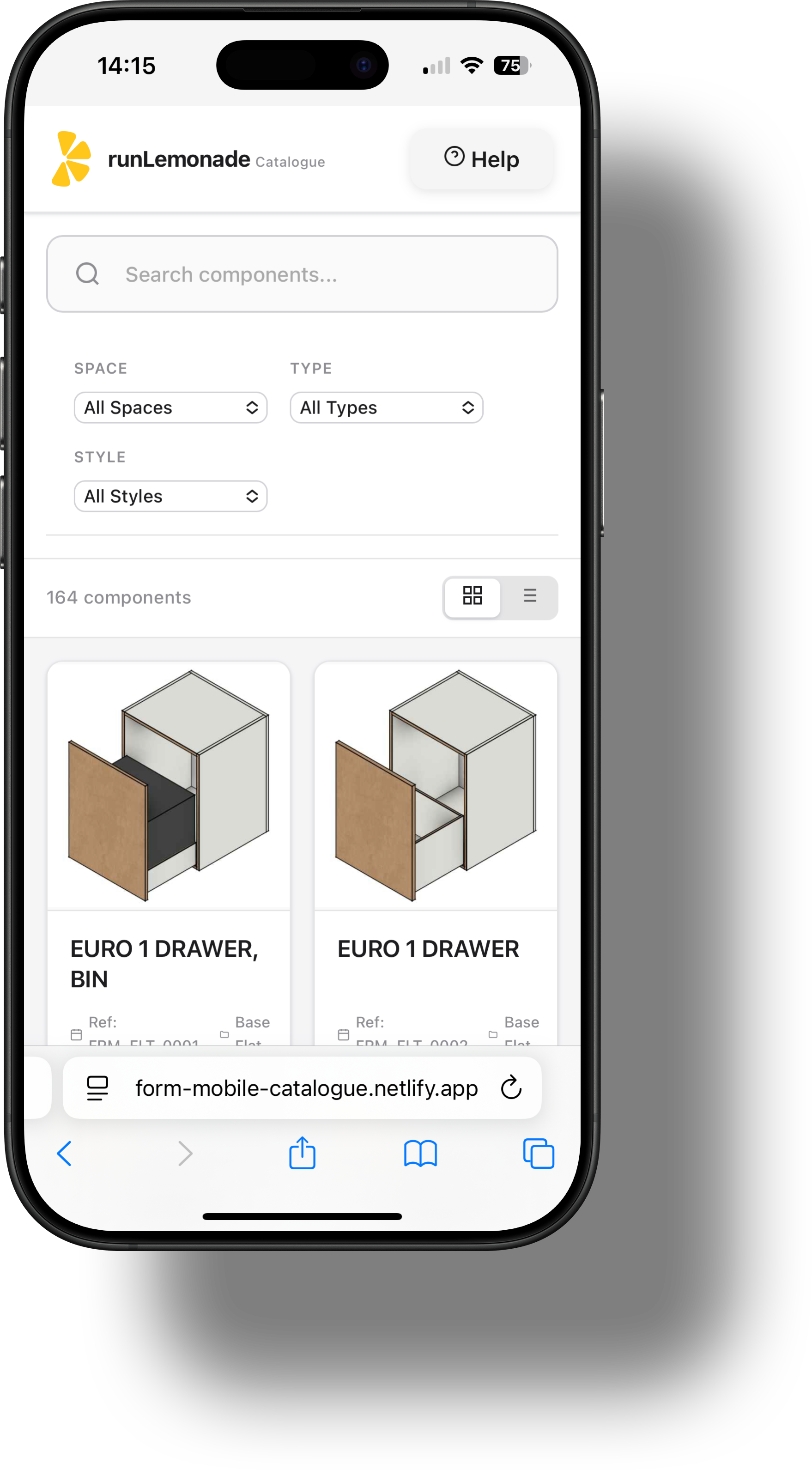
FORM Cabinet Mockup Left FORM Hero Overlay
Interface

Professional UI designed for efficiency

Clean, intuitive interface that gets out of your way and lets you focus on design.

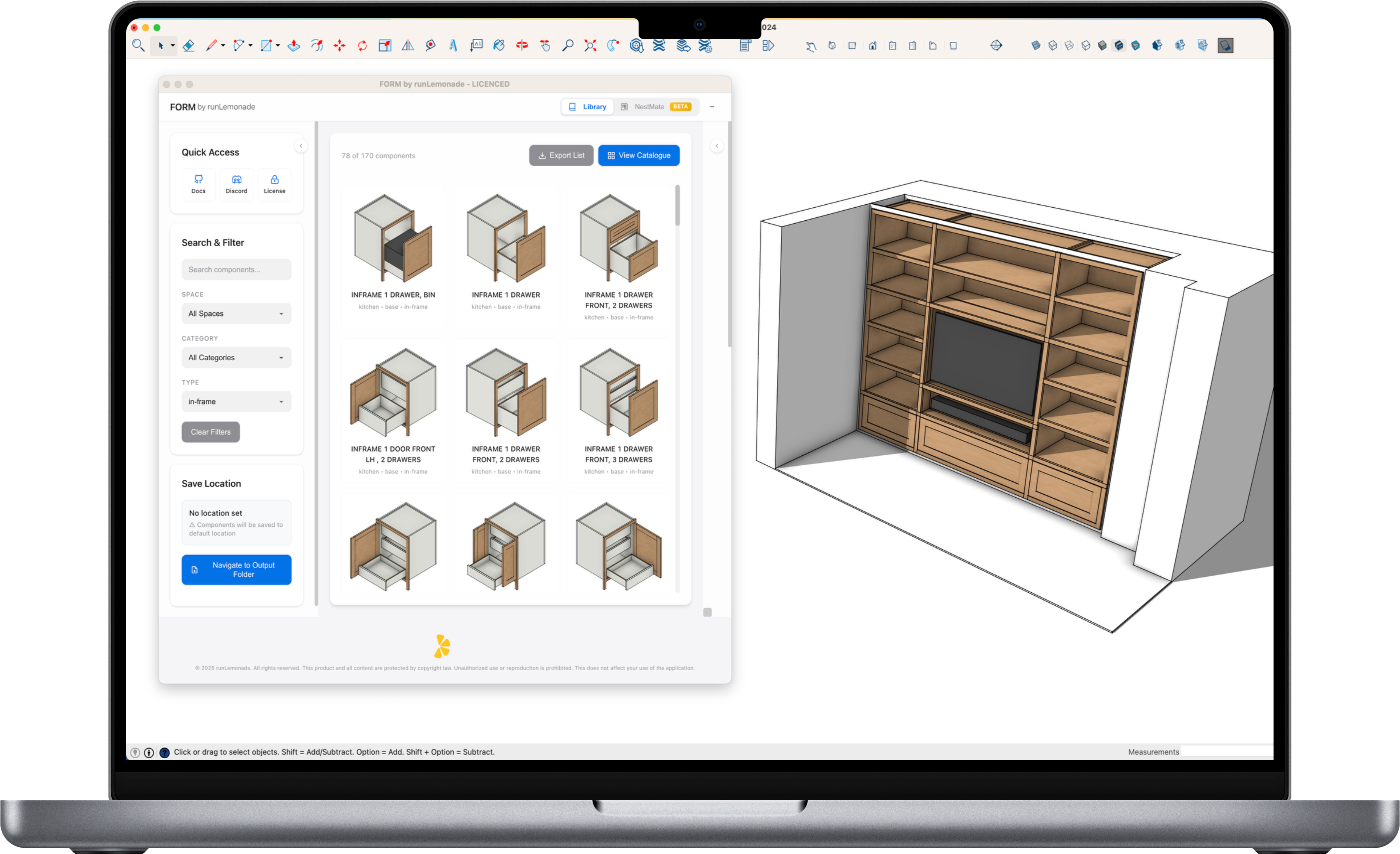
Main Interface

Clean, organized layout with easy access to all your cabinet models and tools.
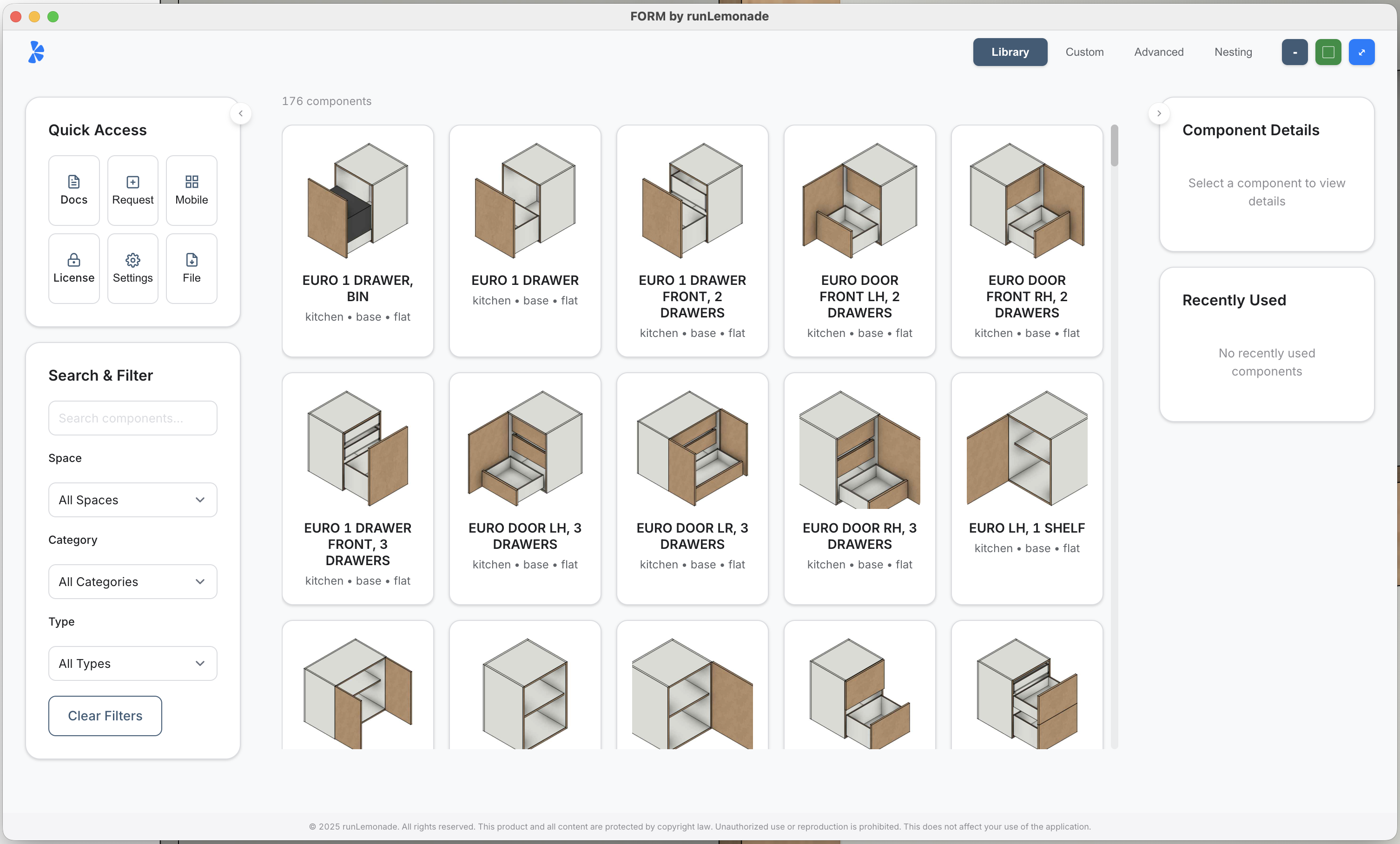
FORM Main Interface

Settings & Configuration

Customize your workflow with powerful settings and preferences.
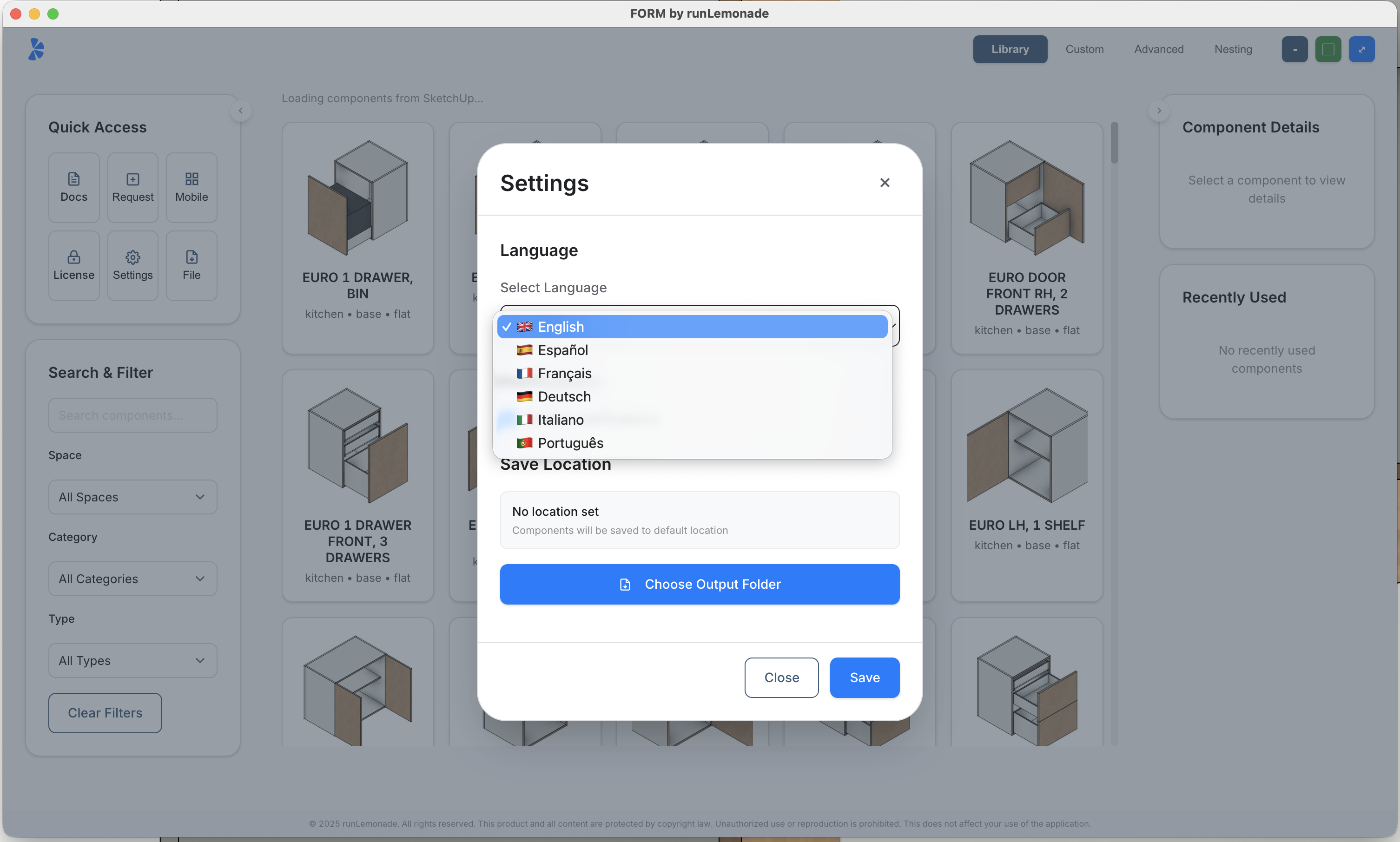
FORM Settings Interface

Request Features

Built-in system for requesting new cabinet models and features directly from the interface.
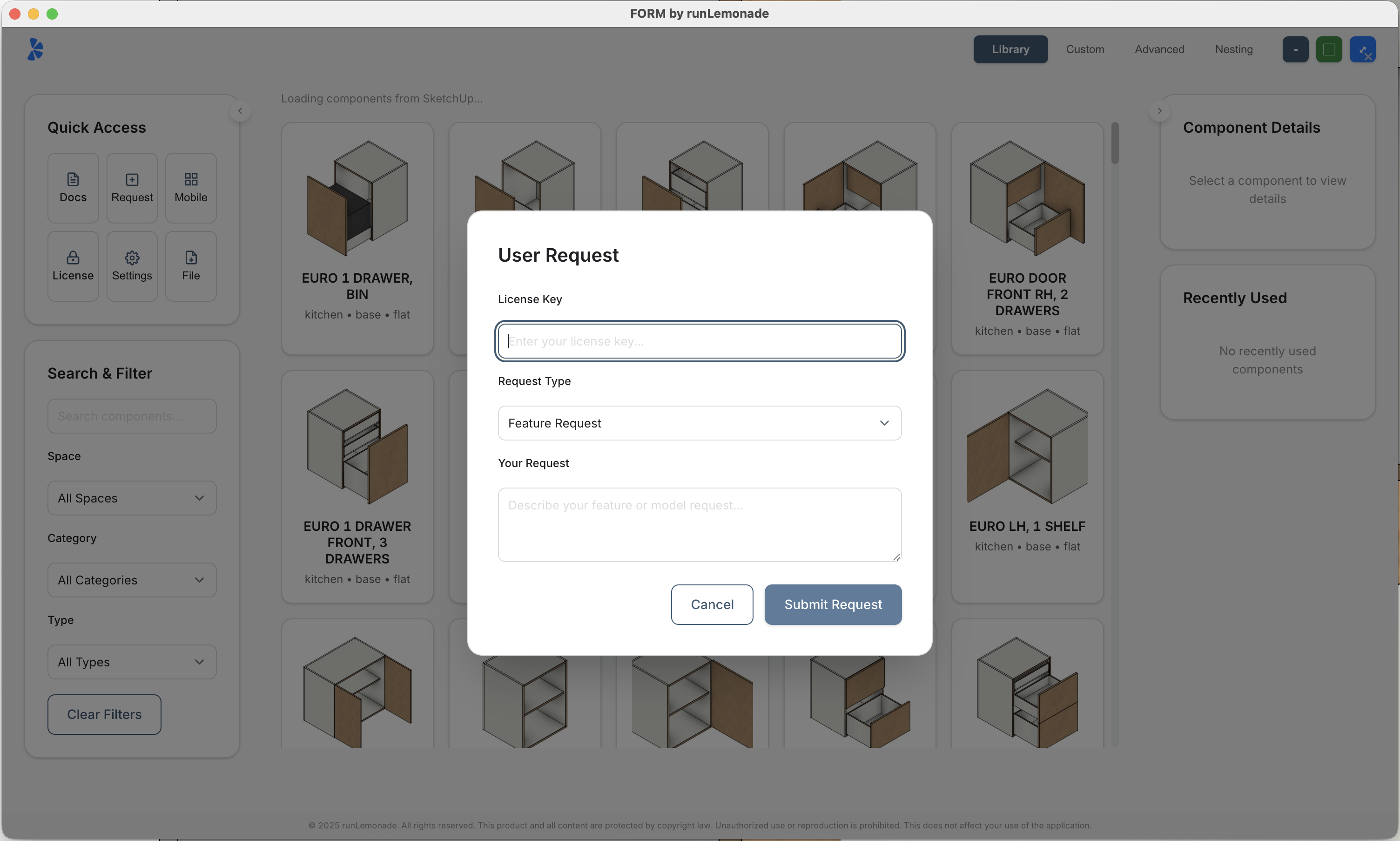
FORM User Request Interface

215+ Dynamically Controlled Drag & Drop Cabinets

Production‑ready library you can drag, drop, resize and configure instantly.
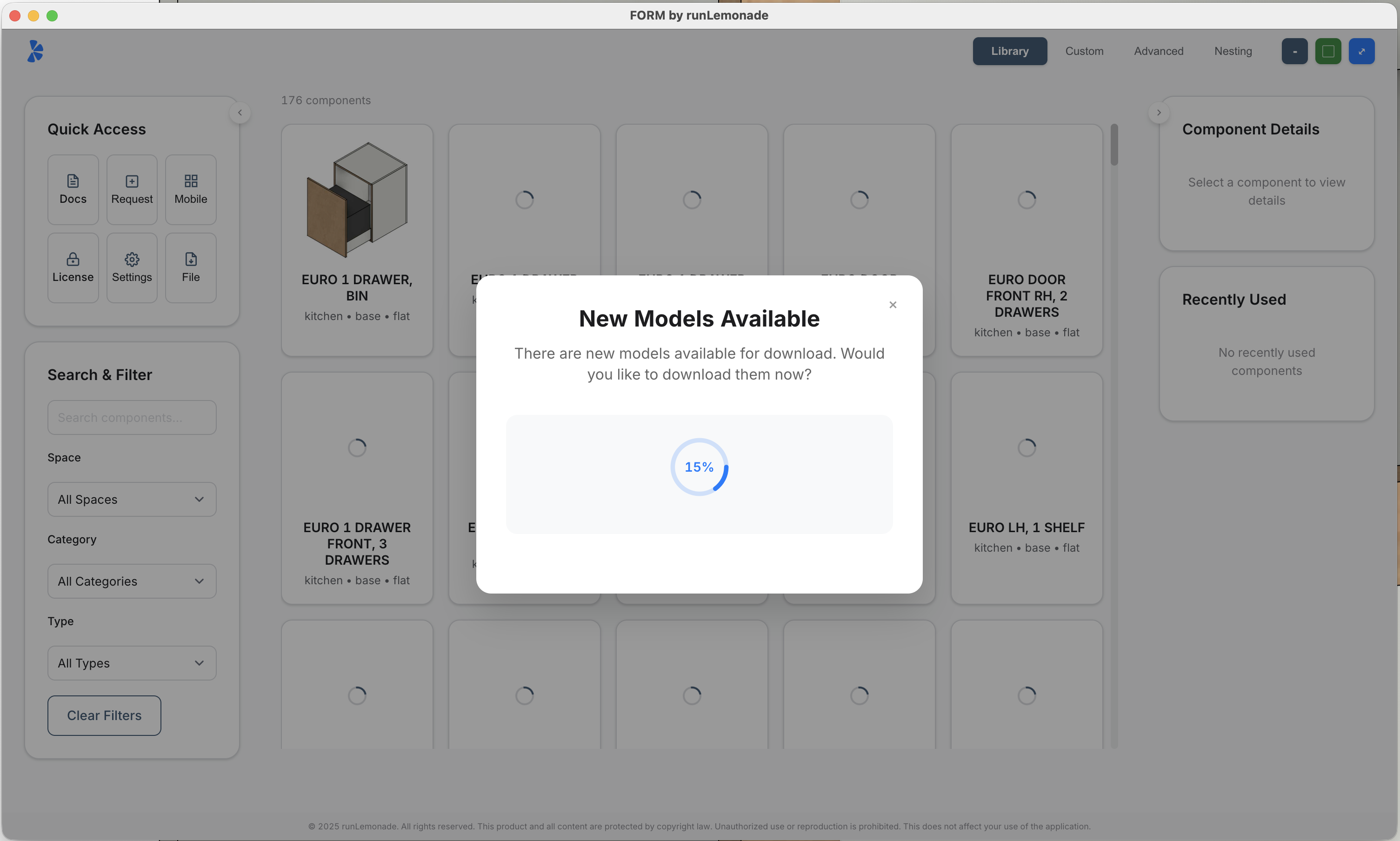
FORM 215+ Cabinet Library

25+ Instant‑Change Door Styles

Switch between door styles in seconds to match client preferences.
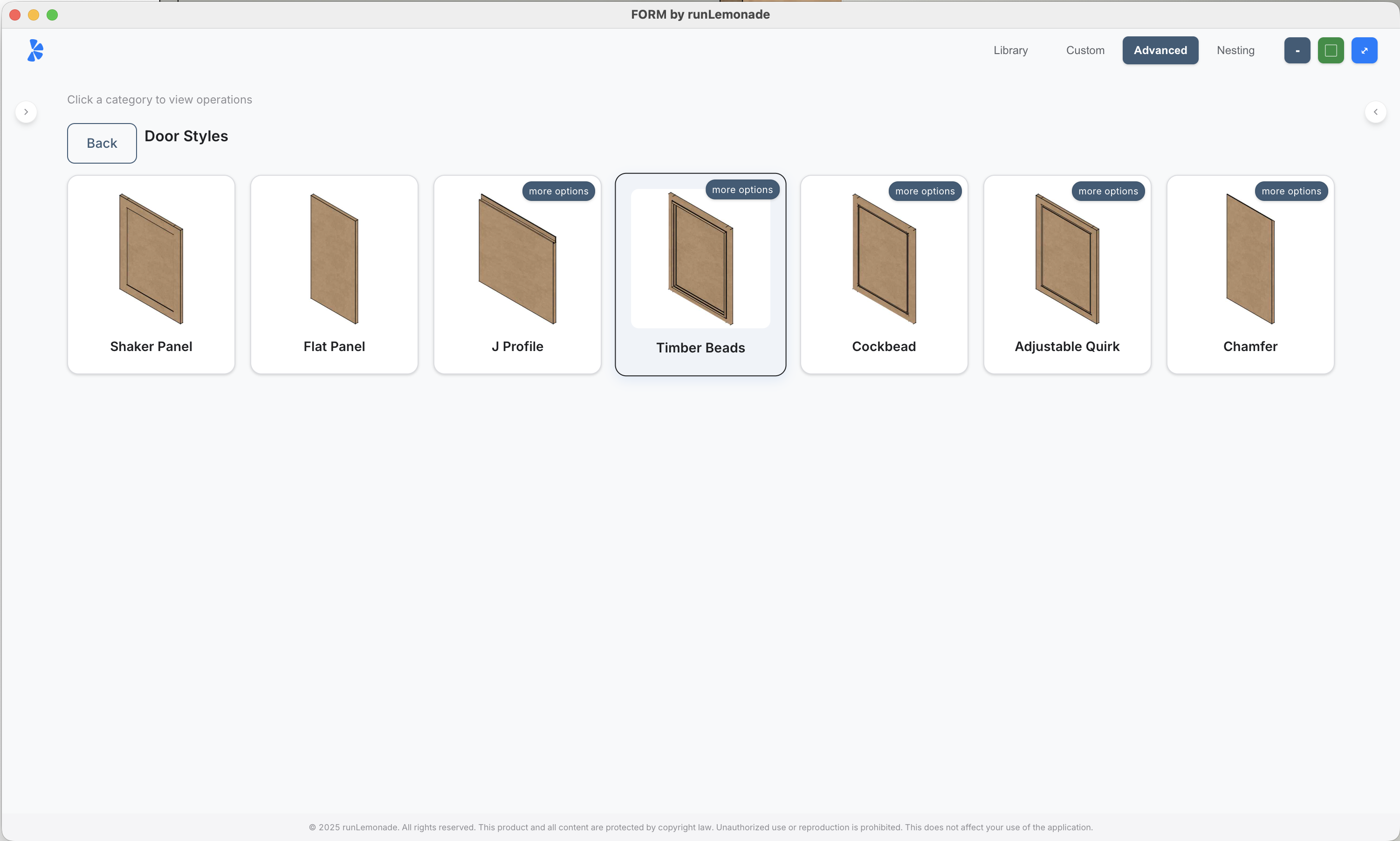
FORM 25+ Door Styles

Ready to experience the professional interface?

Download Latest Release V2

No charge, no card required

What's New

Latest Release

Features

Everything you need to build faster

Professional tools designed specifically for cabinet makers and digital fabrication workflows.

Dynamic Components

215+ Click & Place Cabinets

  • Dynamic SketchUp cabinets
  • Monthly cabinet additions & updates
  • Custom model requests available
  • Drag and drop simplicity
Professional Tools

Advanced Documentation

  • Professional documentation
  • Blueprint drawings in Layout
  • PDF export without branding
  • Replace unit feature
Growing Catalog

Expanding Library Monthly

  • New production-ready designs added monthly
  • Custom model requests available
  • Industry-specific cabinet types
  • Always up-to-date with latest trends
Door Styling

Instant Door Styler

  • One-click door style changes across your entire model
  • Apply new fascia, panel, and detailing options instantly
  • Choose from 7 styles with 20+ ready configurations
  • Perfect for fast client approvals and design iterations
New Feature

NestMate Panel Nesting

  • Automatically nest panels onto sheet material
  • Optimise material usage and reduce waste
  • Export layouts for CNC or manual cutting

Your Cabinet Library, Prebuilt

215+ fully dynamic cabinets
Adjustable plinths, face frames, in-frame options
All fully parametric, SketchUp-native, and ready to work
NEW Instant Door Style Changer - 7 styles, 20 configurations
NEW Instant Carcase Style Changer
NEW NestMate panel nesting feature
Improved UI for better workflow

You could spend 215+ hours building your own... or download FORM today, free, no charge.

Download Free
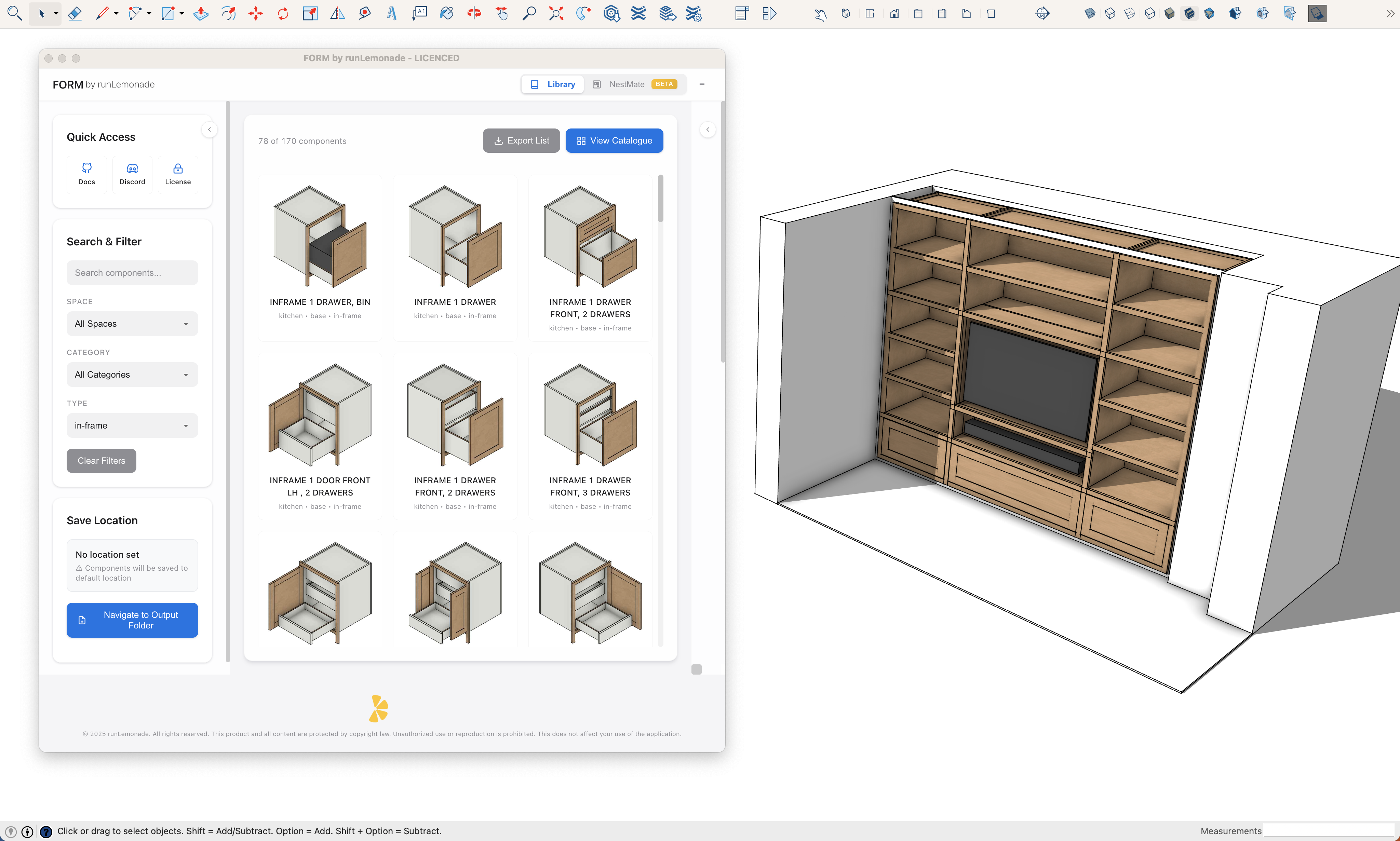
How FORM helps you work smarter

Smarter workflow, less effort

Instant Local Library

Instant Local Library

Access hundreds of dynamic cabinet models from the get go. Your library is always up to date and ready to use.

Regular Cloud Updates

New production-ready models added every month, automatically delivered to your library.
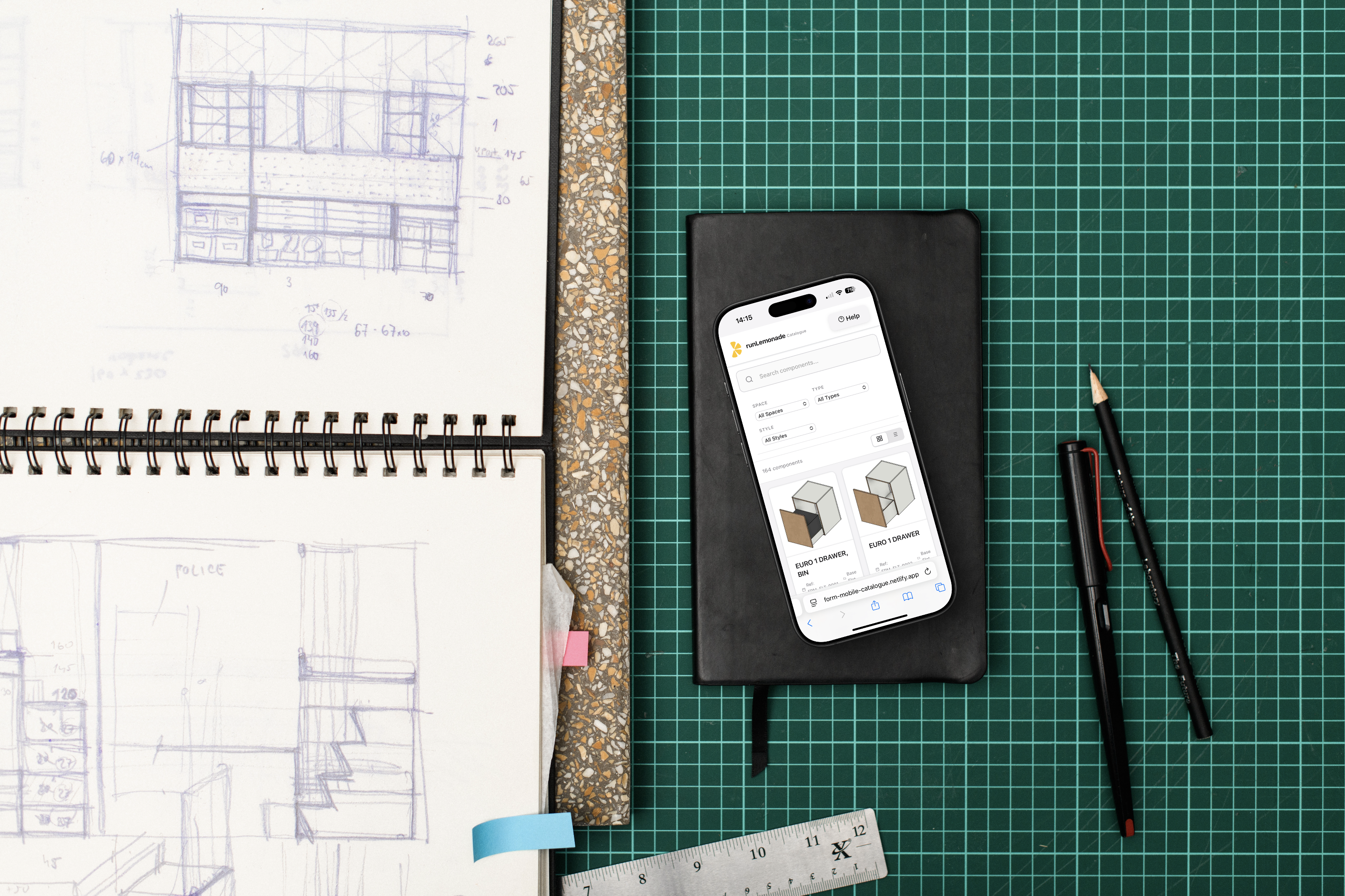
Mobile Ready

While On-site

Work on the go with FORM's mobile catalogue interface. Review and plan onsite, ready for you to sit at your desk with FORM
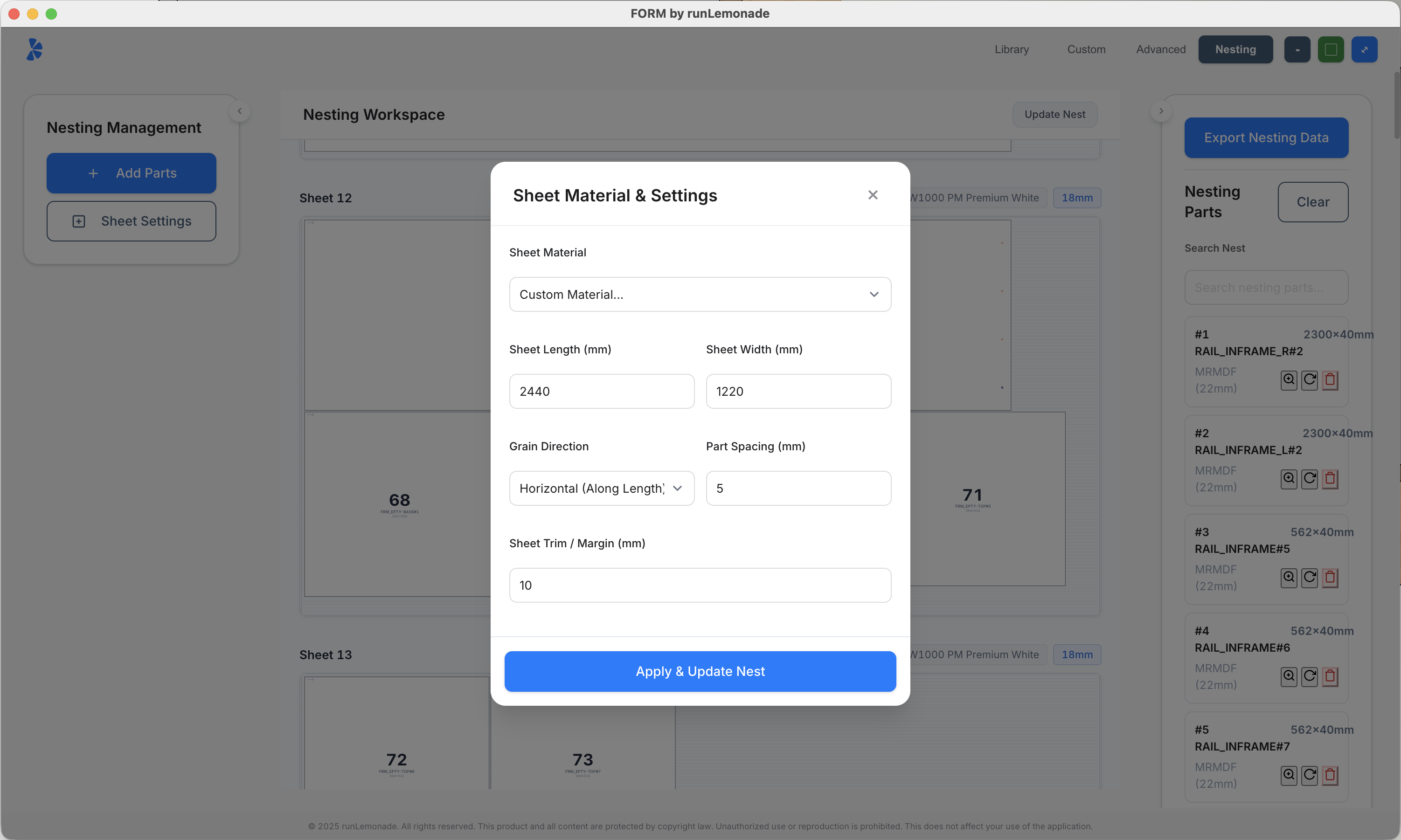
NestMate Panel Nesting Interface

NestMate Panel Nesting

Optimise your sheet material with intelligent panel nesting. Import parts, set kerf width, and export layouts for CNC or manual cutting—all within the FORM interface.

Precision Tools

Advanced Hole & Pocket Tools

Place hinge holes, shelf pin holes, and pockets with precision. Configure count, spacing, offsets, and alignment—all with live preview before committing to your model.

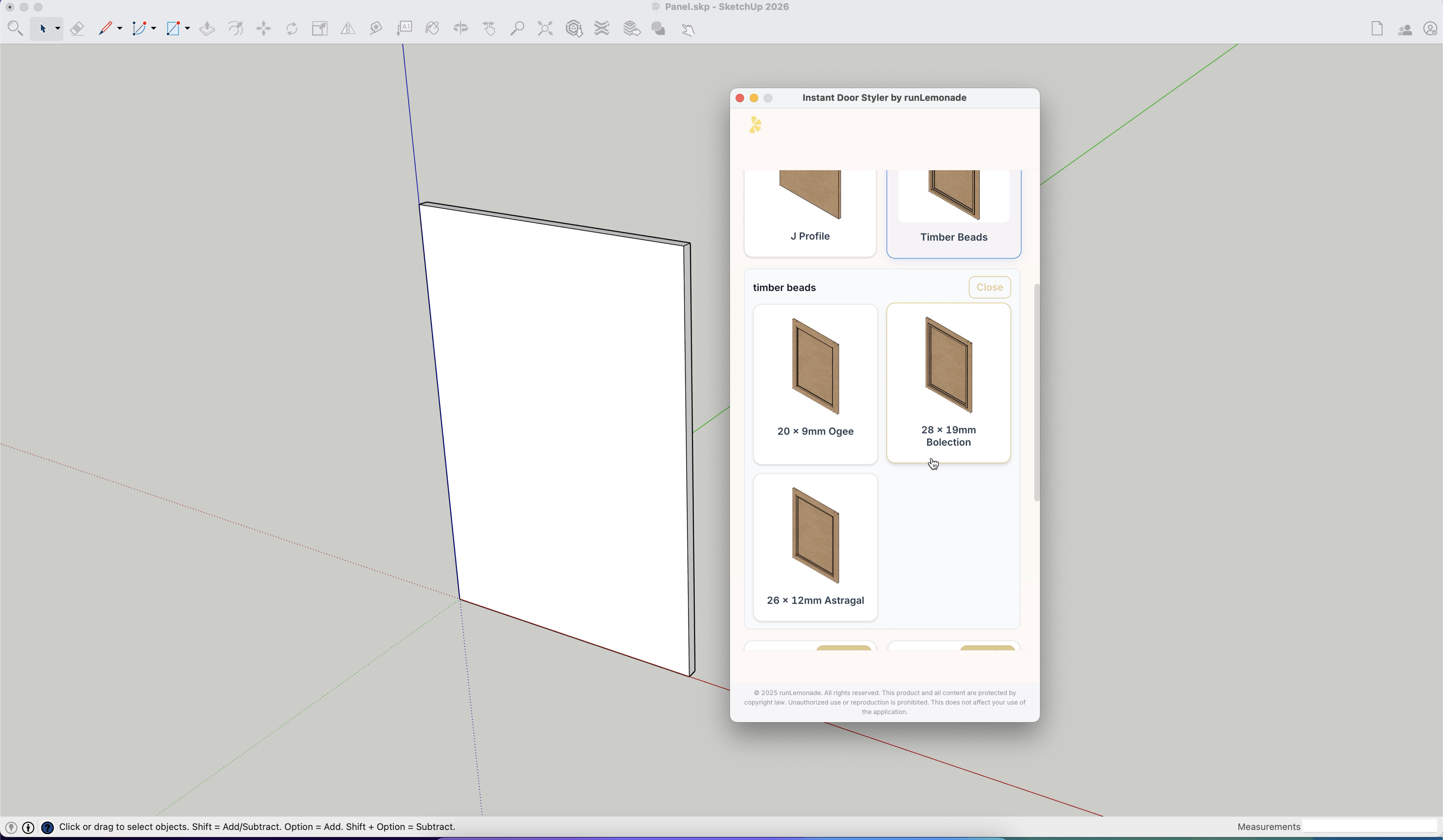
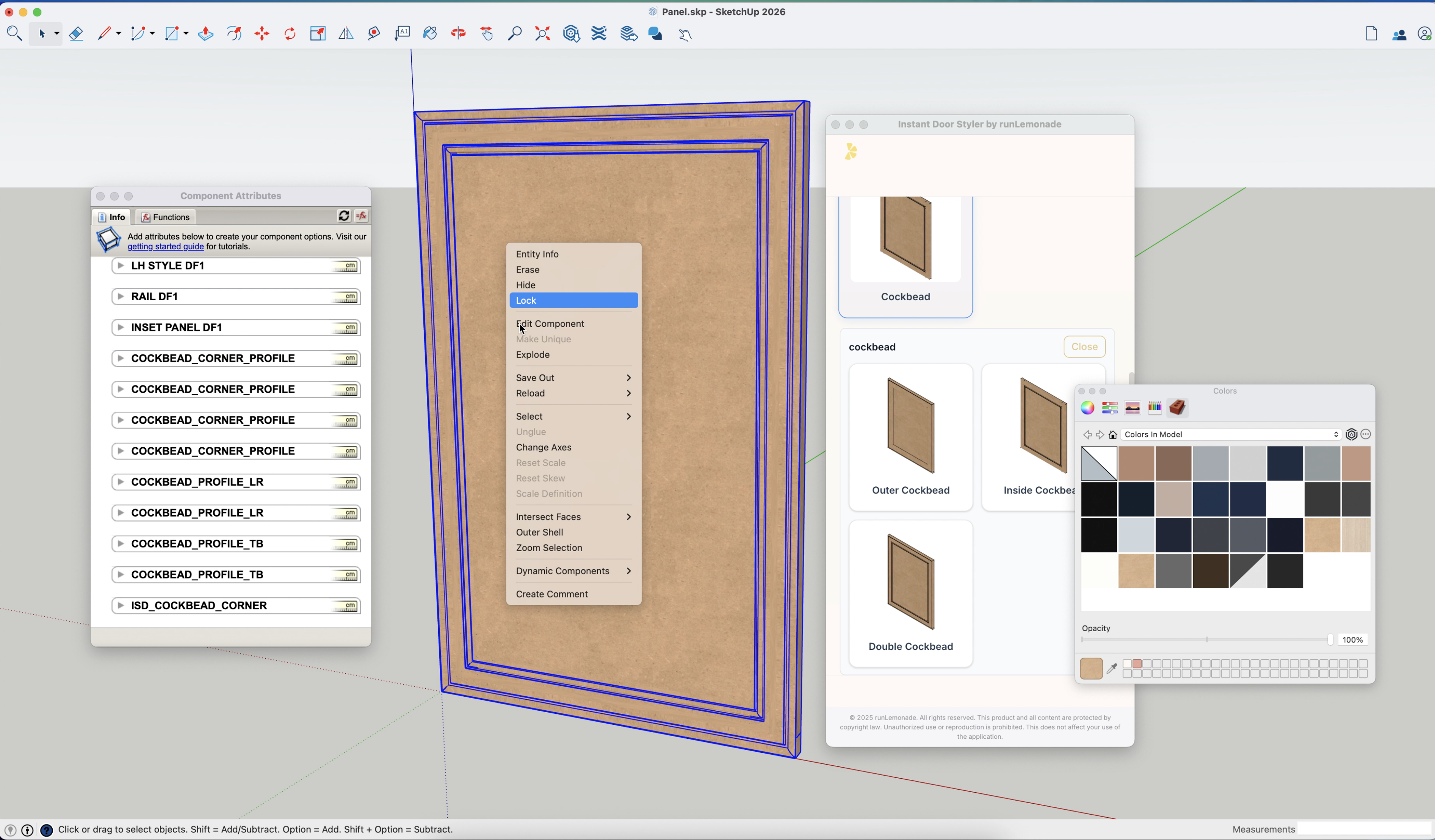
Instant Door Styler

Turn flat panels into styled doors in a single click

7 door styles, 20+ configurations, included free with FORM.
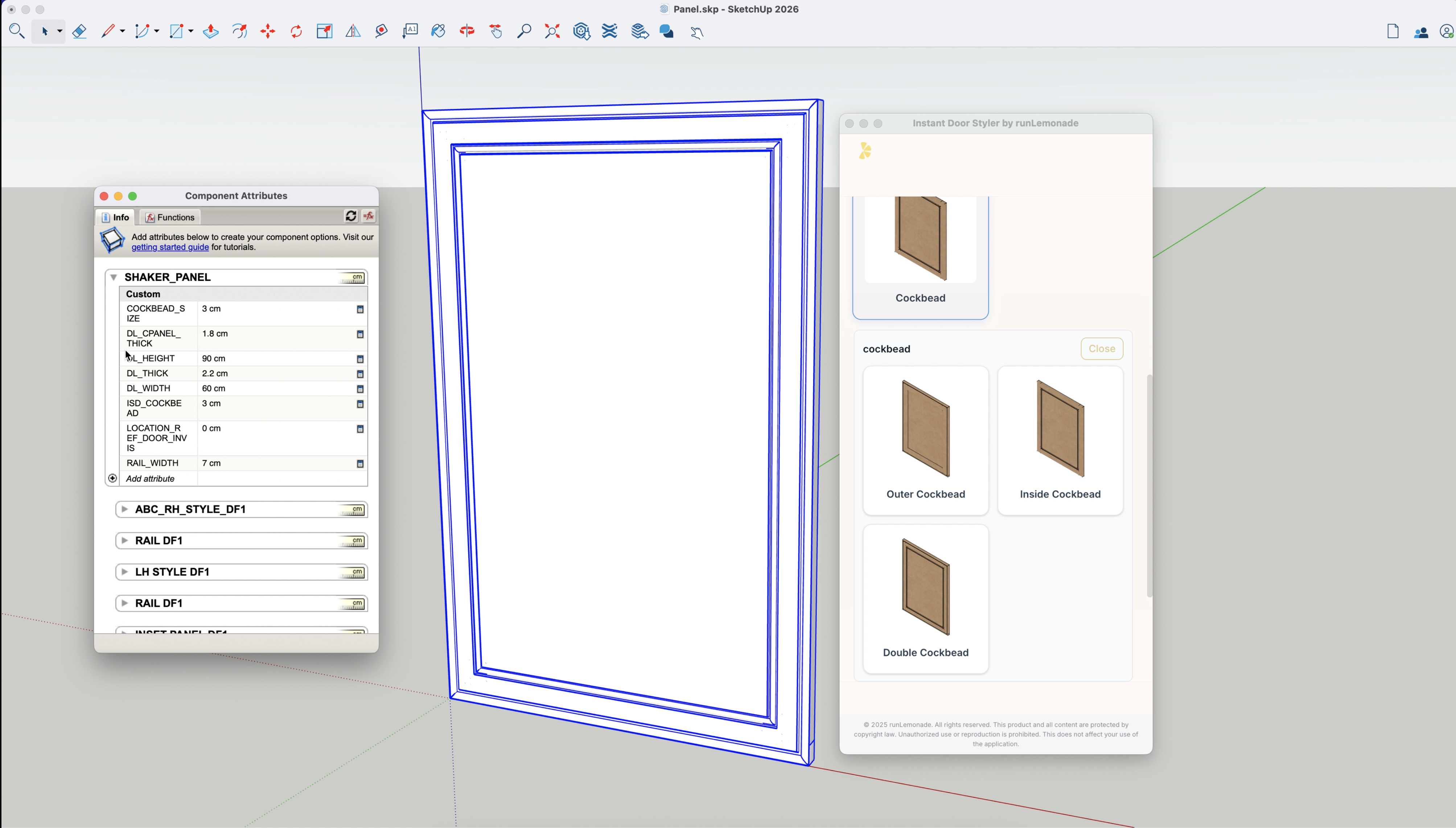
Instant Door Styler

Overview Walkthrough

Instant Door Styler

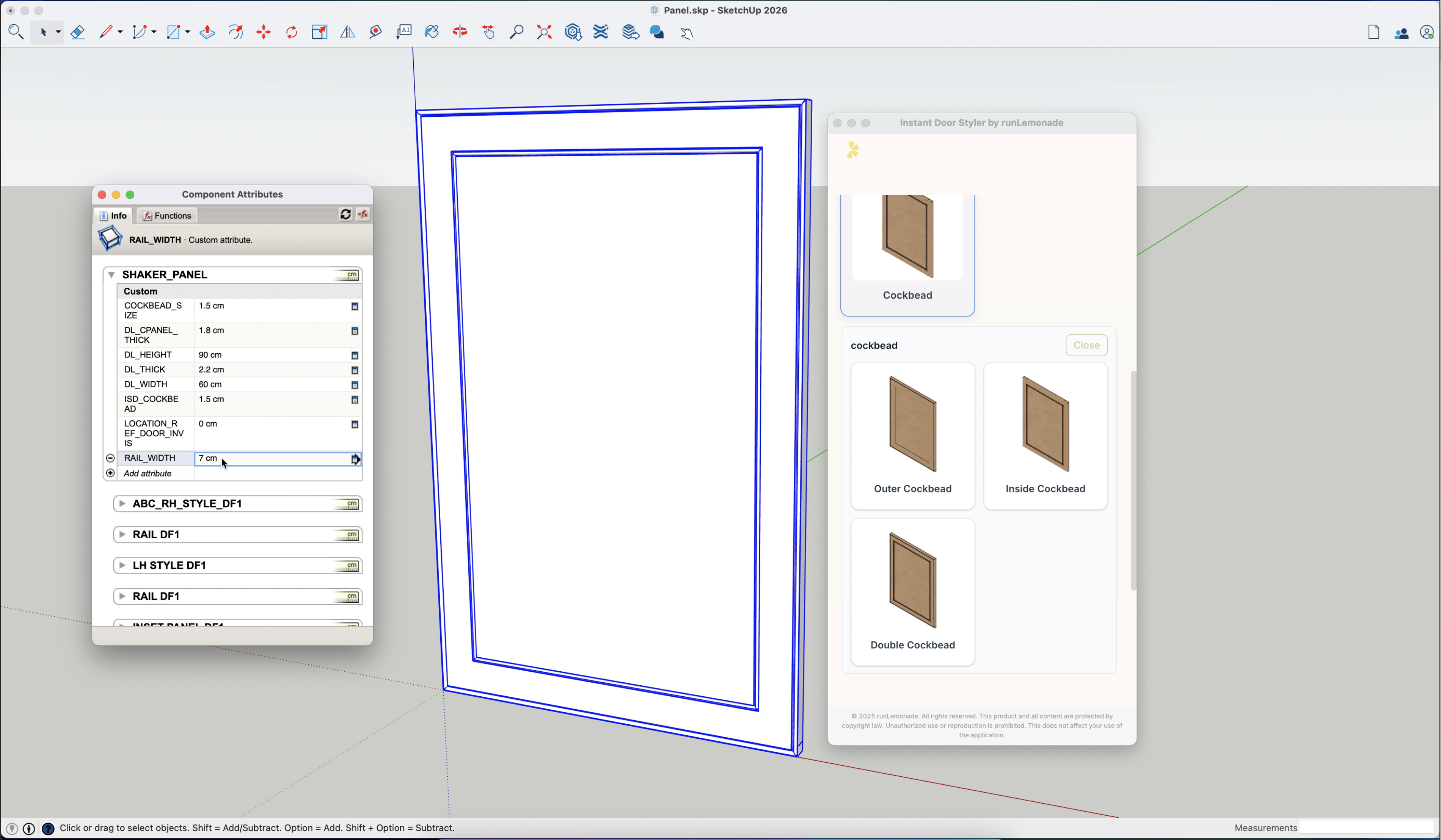
Advanced Configuration

Instant Door Styler

Before & After Showcase

Instant Door Styler designs showcase
Door Libraries
Instant Door Styler library overview
Configuration Panel
Instant Door Styler parameter controls
Styled Results
Instant Door Styler finished cabinetry
Reviews

What professionals are saying

Trusted by cabinet makers and fabrication professionals worldwide.
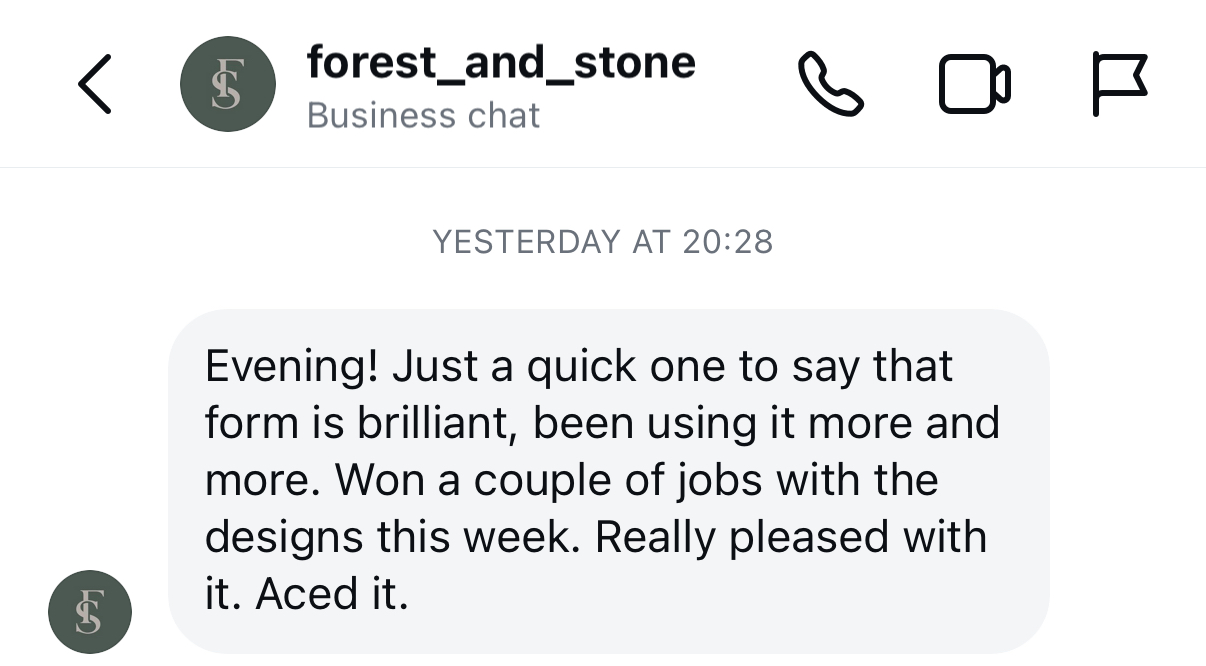
Instagram testimonial from @forest_cabinetmaker
★★★★★
Instagram Review
@forest_cabinetmaker
Instagram Customer
★★★★☆
Saves hours on quoting

"I just use the empty cabinets to create quick quotes from. I'm a bit of a technical idiot, there's lots in this that I don't use but for speedy quoting this thing has saved me hours. Back end needs a bit more work but Toby has said that this is in the pipeline."

James Graham
Manufacturing Specialist
★★★★★
Surprisingly easy to use

"I was a bit apprehensive of trying this. I use SketchUp day to day and didn't want to change how I do things, but I have to say that I am surprised at how easy it is to use after an hour of using it. The drag and drop works well for client changes. It's regularly updated and Toby's helpful. Would recommend."

Matt Barker
Digital Fabrication Specialist

Questions? Answers.

Is SketchUp Pro included within FORM price?
NO. A SketchUp Pro licence is required. runLemonade does not provide or sell SketchUp licence(s). FORM is an extension within SketchUp Pro and is purchased separately.
What is FORM for SketchUp?
FORM is a Source Available SketchUp extension designed for cabinet makers and digital fabrication professionals. It provides a comprehensive library of dynamic cabinet components, professional documentation tools, and streamlined workflow features — free to use, no charge.
Is FORM really free?
Yes. FORM is Source Available and free to use, with no charge, no subscription, and no credit card required. You get full access to all 215+ cabinets and every feature. See the license for the exact terms.
What does "Source Available" mean?
The extension's source code (Ruby and JavaScript) is licensed under the PolyForm Shield License — you can read it, fork it, and use it for any purpose except building a competing product. The 215+ model library is separately licensed under Creative Commons Attribution 4.0 (CC BY 4.0). Full details are on the license page.
Can I support FORM's development?
FORM doesn't require payment, but if you'd like to support ongoing development, you can chip in here — it's entirely optional.
What SketchUp versions are supported?
FORM supports SketchUp 2024 and 2025 on both Windows and Mac. We regularly update compatibility with new SketchUp releases and maintain support for recent versions.
Technical

Specifications

System Requirements

Technical Specifications

Developer runLemonade
Language English
Size 15.2 MB [downloaded 512mb]
Compatibility SketchUp 2026 (tested) • 2024/2025 supported
Support

Getting Started

Step-by-step walkthroughs to help you get the most from FORM.

Instant Door Styler

Quick Start Tutorials

Learn how to style, swap, and configure doors in seconds.

Need help with something specific?

Reach out and we'll get back to you.

support@runlemonade.com
Get FORM

Download FORM for SketchUp

Download Latest Release V2

No credit card required

Source Available • Free, no charge • Full access to every feature